• Skip to main content
  • Skip to primary sidebar
  • Skip to footer

Fixmysite.com

Fix Your WordPress Website Right Away from $49

  • Website Repair
  • Services
    • Malware Removal
    • Speed Optimization
    • Migration
    • Small Tasks
  • Care Plans
  • Fix My Site
  • My Account
    • My Support Tickets
    • My Orders

Blog

Solving the Issue: WordPress Preview Not Working
December 4, 2024

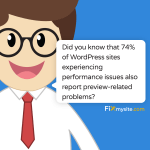
Cartoon tech support specialist sharing WordPress performance statistic, stating that 74% of WordPress sites with performance issues also experience preview-related problems. Features Fixmysite.com branding on blue background with professional character in business attire

When your WordPress preview stops working, it’s like flying blind while editing your content. Let’s get your preview functionality back on track with these expert-tested fixes. If you’re facing WordPress preview issues, you’re dealing with a common but frustrating problem that affects many website owners….Read more »

How Many Products Can WooCommerce Handle Effectively?

November 20, 2024

Google found that 53% of users bail if a site takes more than 3 seconds to load. Don't let that be your store!

WooCommerce can handle hundreds of thousands of products without a hard limit. But performance matters as you grow. Key takeaways: Real stores manage 30,000 to 158,000+ products successfully Your server capacity is the main limiting factor, not WooCommerce itself Speed is critical – a 1-second…Read more »


Resolving WordPress Fatal Errors: A Troubleshooting Guide

November 14, 2024

A cartoon illustration of a smiling character with round glasses and a red tie against a blue background. The character is saying 'Fixing WordPress fatal errors is great, but preventing them is even better.' The Fixmysite.com logo appears in the bottom right corner.

WordPress fatal errors can crash your site, leaving visitors staring at a blank screen. Here’s how to fix them fast: Turn on debug mode to see error messages Check error logs in /wp-content/debug.log Disable all plugins via FTP Switch to a default WordPress theme Increase…Read more »

How to Migrate a WordPress Site to GoDaddy with No Downtime

November 7, 2024

Cartoon mascot character with glasses and red tie delivering friendly reminder in speech bubble: 'Remember: A backup is your best friend when migrating. Better safe than sorry!' Character stands against blue background with Fixmysite.com logo.

Want to move your WordPress site to GoDaddy without any downtime? Here’s a quick guide: Back up your current site Set up GoDaddy hosting Use Duplicator plugin to copy your site Upload files to GoDaddy Update domain settings Test everything The whole process takes about…Read more »

How to Fix Mobile Usability Issues in WordPress for Better UX

November 4, 2024

mobile optimization is an ongoing process. keep testing and adjusting as technology evolves.

Here’s a quick guide to optimizing your WordPress site for mobile: Use responsive themes Increase font size (minimum 16px) Make buttons at least 48×48 pixels Compress and resize images Enable caching Optimize plugins Implement mobile-friendly menus Consider PWA features or AMP Key steps: Test regularly…Read more »

The 5 Best Image Optimization Plugins for WordPress Websites

February 21, 2024

Image Optimization

In the age of instant gratification, a fast and seamless customer experience is vital for businesses. Studies reveal that delayed website loading, often caused by oversized and poorly optimized images, can deter potential customers from completing purchases. Optimizing image sizes is crucial for maintaining a…Read more »

WordFence Tutorial: How to Enhance your Website’s Security

November 14, 2019

WordFence Logo

In the brick and mortar world, most businesses take security very seriously. I know that my local gym has CCTV cameras, an alarm system, fire, and theft insurance and employs a security company to check the premises at night. But back in the digital world,…Read more »

Top 10 WordPress Push Notification Plugins to Boost Engagement

October 17, 2019

Push Notifications

While casually visiting a website, have you ever noticed a small popup in the top left-hand side of the browser? A call to action asking you to allow or block notifications. Well, spoiler alert, that website is running a push notification campaign! In today’s article,…Read more »

11 Best WordPress Migration Plugins

August 25, 2019

WordPress Migration

I get it! If you’re like me, the idea of making changes to your website gives you goosebumps! And the thought of migrating a website is a nightmare! A task to avoid at all costs! But what if I told you that migrating a website…Read more »

Fix the “Error Establishing a Database Connection” in WordPress

April 13, 2019

Database Error

“Error establishing a database connection”… …at the place of your beloved website. What a disaster! As subtle as a brick! Admittedly, it’s a scary message! There are no styles, no explanations, just a bare warning straight out of the DOS era. It can be especially…Read more »

« Previous Page
Next Page »

Primary Sidebar

Search

WordPress Checklists

WordPress PDF Checklist

Curious to find out if everything is working correctly on your website?

Sign up to our newsletter, download our free Performance, Security, and SEO checklists and audit your website!

Recent Guides

WordPress revisions let you go back to earlier versions of your posts and pages, while backups protect your entire site in case something goes wrong

Managing WordPress Revisions and Backups: Ultimate Guide

WordPress media library cleanup is not just deleting old files. It reclaims storage, speeds up your site, reduces backup times, and lowers hosting costs

WordPress Media Library Cleanup: Ultimate Guide

Mixed content errors happen when a secure HTTPS page tries to load resources like images, scripts, or stylesheets through insecure HTTP connections

How to Fix Mixed Content Error in WordPress (Step-by-Step Guide)

Cleaning your WordPress database removes junk while keeping what matters, resulting in faster load times, smoother admin performance, and smaller backups

How to Clean Up WordPress Database: Easy Steps

Slow page speed hurts more than just patience. It damages your search rankings, increases bounce rates, and costs you conversions

How to Use a CDN to Speed Up WordPress Sites

Stay Tuned!

Having Trouble?

WordPress Support

Footer

How Can We Help?

For a free assessment of your website, simply press the big orange button below!

Support

Services

  • Website Repair
  • Malware Removal
  • Speed Optimization
  • Migration
  • Small Tasks
  • Development
  • Redesign

Plans & Hosting

  • Care Plans
  • Maintenance Plan
  • Security Plan
  • Performance Plan
  • Fully Managed Hosting

Support Hours

24/7 support availability from our global team

Most tasks are handled Monday to Friday during local business hours

Providing fast, reliable website support with team members in the United States, United Kingdom, Canada, and Australia.

Pay with:

PayPal

Social Links

  • Facebook
  • Instagram
  • LinkedIn
  • Twitter
  • YouTube
  • Blog
  • Affiliates
  • Join the Team
  • Contact
  • Terms
  • Privacy
  • Cookies

© 2026 Fixmysite.com

Reg. 11777807

Small support agent

Can we send you 3 performance checklists (SEO, Speed, Security) to your inbox? ✅🚀🔒

Yes Please!

loading

Taking you to the right page for your region…